> For the complete documentation index, see [llms.txt](https://docs.claret.app/llms.txt). Markdown versions of documentation pages are available by appending `.md` to page URLs; this page is available as [Markdown](https://docs.claret.app/master-data/tags.md).
# Tags
Use Tags in Claret to organize and categorize your Items for easier filtering and grouping.
Tags provide a flexible way to label and categorize WIP Items in Claret. You can create custom tags and apply them to items in your WIP hierarchy, making it easier to filter, group, and organize your data.
This is particularly useful when you want to group Work In Process items by brand, product line, or marketing category - groupings that may not fit into your standard WIP item hierarchy.
{% hint style="info" %}
Tags can currently only be used to filter items within the Make Planning module.
{% endhint %}
## Setting up Tags
### Navigate to the Tags page
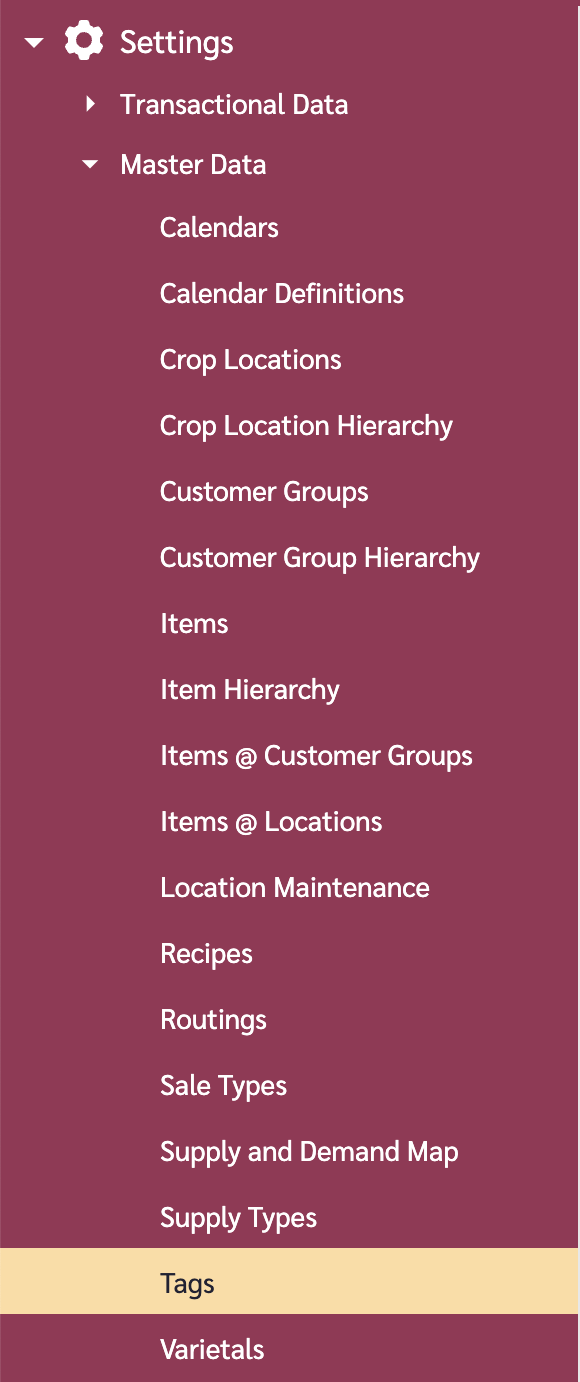
1. Go to the navigation sidebar.
2. Click on "Settings" menu item.
3. Click on "Master Data" menu item.
4. Click on "Tags".
### Add a Tag
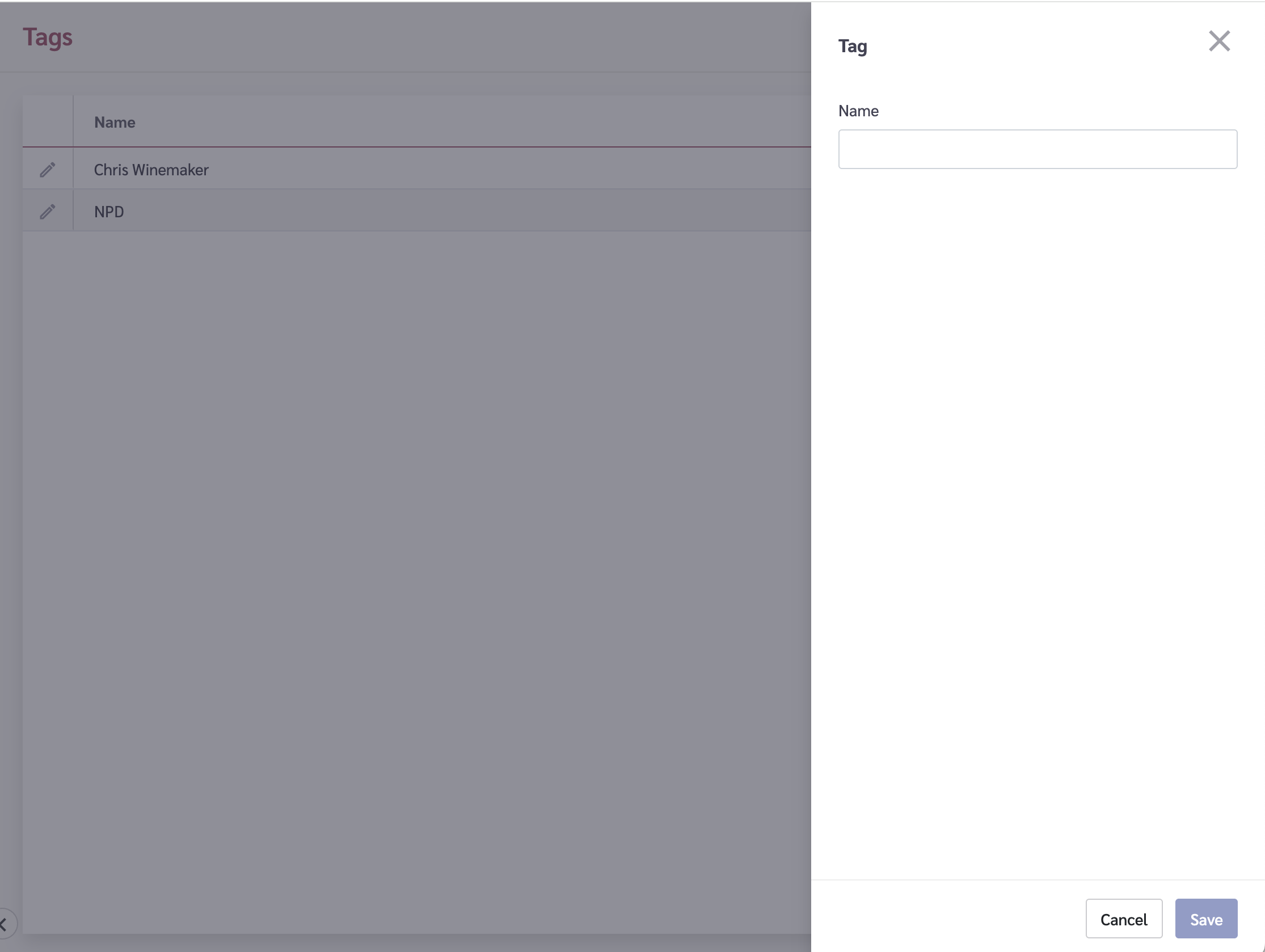
1. Go to the options (ellipses) button in the top-right of the page and click on it.
2. Click on "Add Tag".
3. A tray will slide in from the right. Type in the "Name" field the name you want to give the Tag.
4. Click on the "Save" button.
{% hint style="info" %}
Tag names must be unique and at least 2 characters long.
{% endhint %}
### Edit a Tag
1. Click on the Edit icon beside the tag you wish to edit.
2. A tray will slide in from the right.
3. Modify the name as needed.
4. Click on the "Save" button.
### Delete a Tag
{% hint style="warning" %}
Deleting a tag will remove it from all associated Items. This action cannot be undone.
{% endhint %}
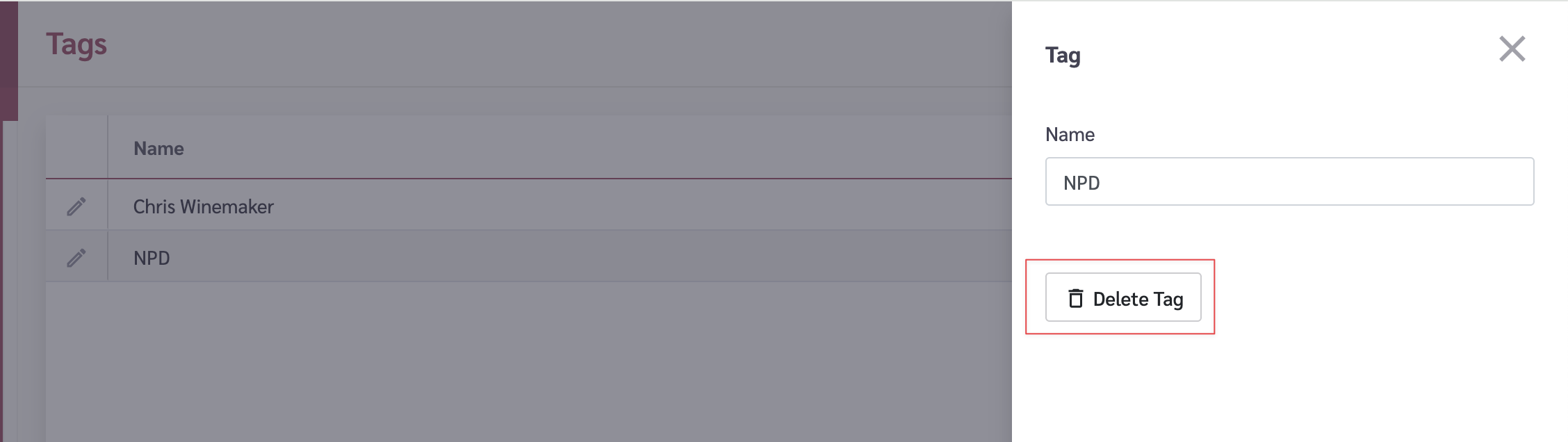
1. Click on the Edit icon beside the tag you wish to delete.
2. A tray will slide in from the right.
3. Click on the "Delete Tag" button.
4. You will be prompted to confirm the deletion.
5. To remove the Tag, type the word "DELETE" into the input box and click the "Delete" button.
## Applying Tags to Items
Tags are applied from the Items page, not from the Tags page. When editing an Item, you will see a Tags field where you can select one or more tags to apply.
To tag an Item:
1. Navigate to **Settings** > **Master Data** > **Items**.
2. Click on an Item row to open the edit tray.
3. In the Tags field, select the tags you want to apply. (Or to remove a tag, unselect it.)
4. Click on the "Save" button.