> For the complete documentation index, see [llms.txt](https://docs.claret.app/llms.txt). Markdown versions of documentation pages are available by appending `.md` to page URLs; this page is available as [Markdown](https://docs.claret.app/workspace-settings/workspace.md).
# Workspace
Configure your workspace name and view your workspace URL in Claret's Workspace settings.
The Workspace settings page allows you to configure basic workspace identity settings, including your display name and view your workspace's unique URL for accessing Claret. Only Admin users can access and manage workspace settings.
## Configuring Workspace Settings
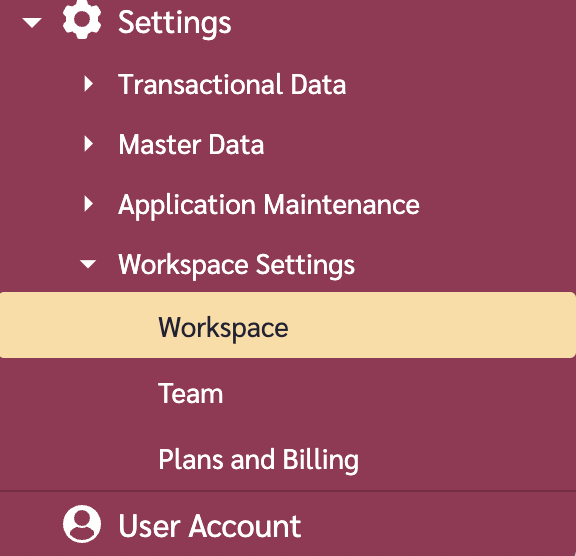
### Navigate to the Workspace page
1. Go to the navigation sidebar.
2. Click on "Settings" menu item.
3. Click on "Workspace Settings" menu item.
4. Click on "Workspace".
## Workspace Settings
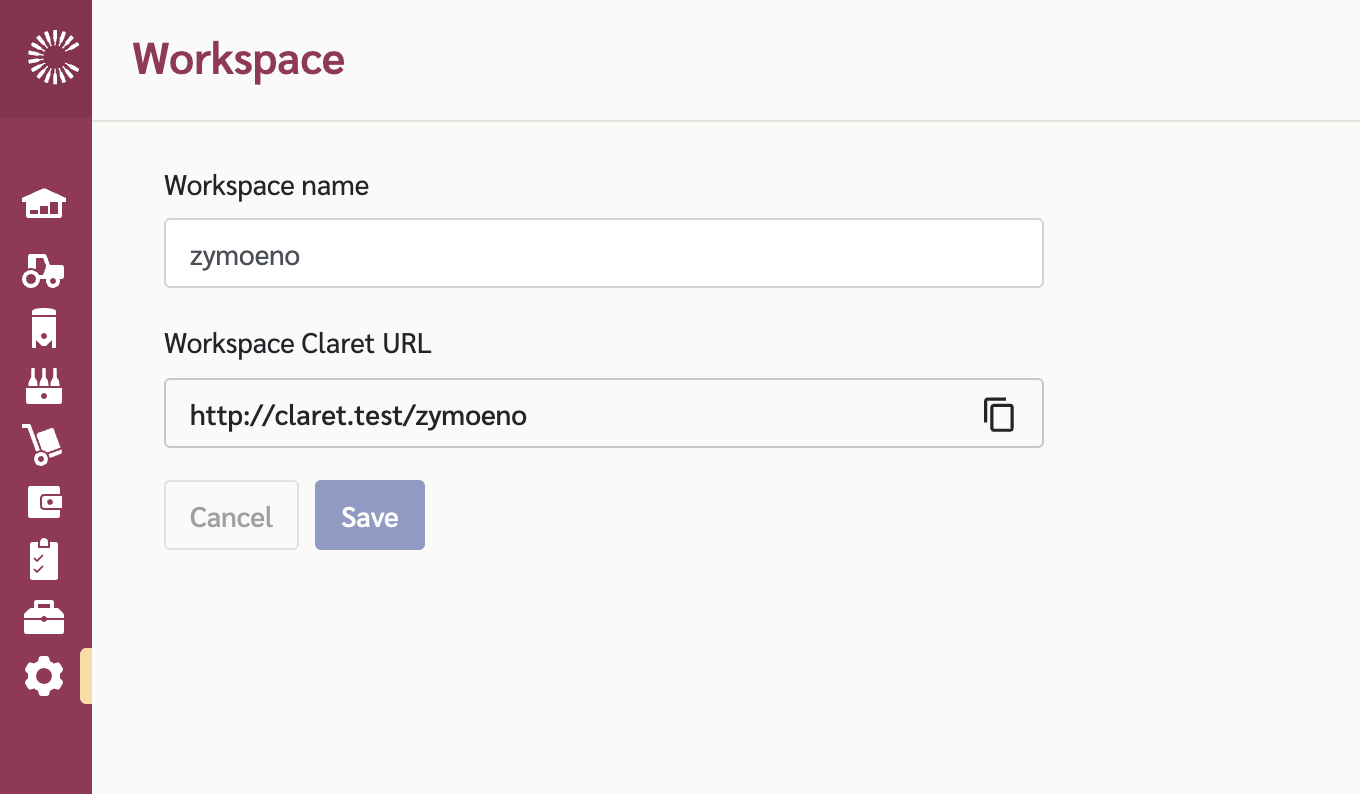
### Workspace Name
The workspace name is the display name shown throughout the application for your workspace. To edit this,
1. Enter your desired workspace name in the "Workspace Name" field.
2. Click on the "Save" button.
{% hint style="info" %}
The workspace name can be any alphanumeric text and is used for display purposes throughout Claret.
{% endhint %}
### Workspace Claret URL
The Workspace Claret URL is your unique URL for accessing your Claret workspace. This URL is automatically generated and cannot be changed.
To copy your workspace URL:
1. Click the copy icon next to the URL field.
2. The URL will be copied to your clipboard.
You can share this URL with team members who need to access your workspace.
## Workspace Fields
| Field | Description | Editable |
| -------------------- | ------------------------------------ | -------------- |
| Workspace Name | The display name for your workspace | Yes |
| Workspace Claret URL | Your unique URL for accessing Claret | No (read-only) |
## Saving Changes
When you make changes to the workspace name:
1. The "Save" and "Cancel" buttons will appear.
2. Click "Save" to apply your changes.
3. Click "Cancel" to discard any unsaved changes.
A confirmation message will appear when your changes are saved successfully.