Quick Start: Inventory Workbench - Internal

Quick start guide for Inventory Workbench - Internal — how to create a view, select a location, read the DOH grid, edit supply plans, run supply plan generation, and configure planning parameters.

What You'll Learn

Inventory Workbench - Internal helps you balance inventory at your own (internal) locations by tracking demand, supply plans, and days on hand (DOH). After this guide, you'll be able to navigate to the module, select or create a view, understand the grid, edit supply plan values, and run supply plan generation.

Before You Begin

Your admin should have already:

  • Set up Items, Locations, and Item @ Locations

  • Configured Customer Groups and Item @ Customer Groups

  • Set up the Supply and Demand Map for internal inventory

  • Configured Sale Types and Supply Types

If the module page is empty, check with your admin that the setup is complete. See Setting Up Inventory Workbench - Internal for what's required.

Step 1: Access Inventory Workbench - Internal

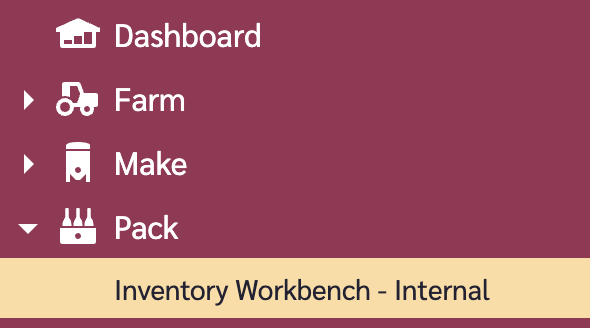
Navigate to Pack > Inventory Workbench - Internal in the left navigation menu.

[Navigating to Inventory Workbench - Internal]
Step 2: Create or Select a View

  1. Click the view button in the top-right of the page

  2. Select an existing workspace view if one is available

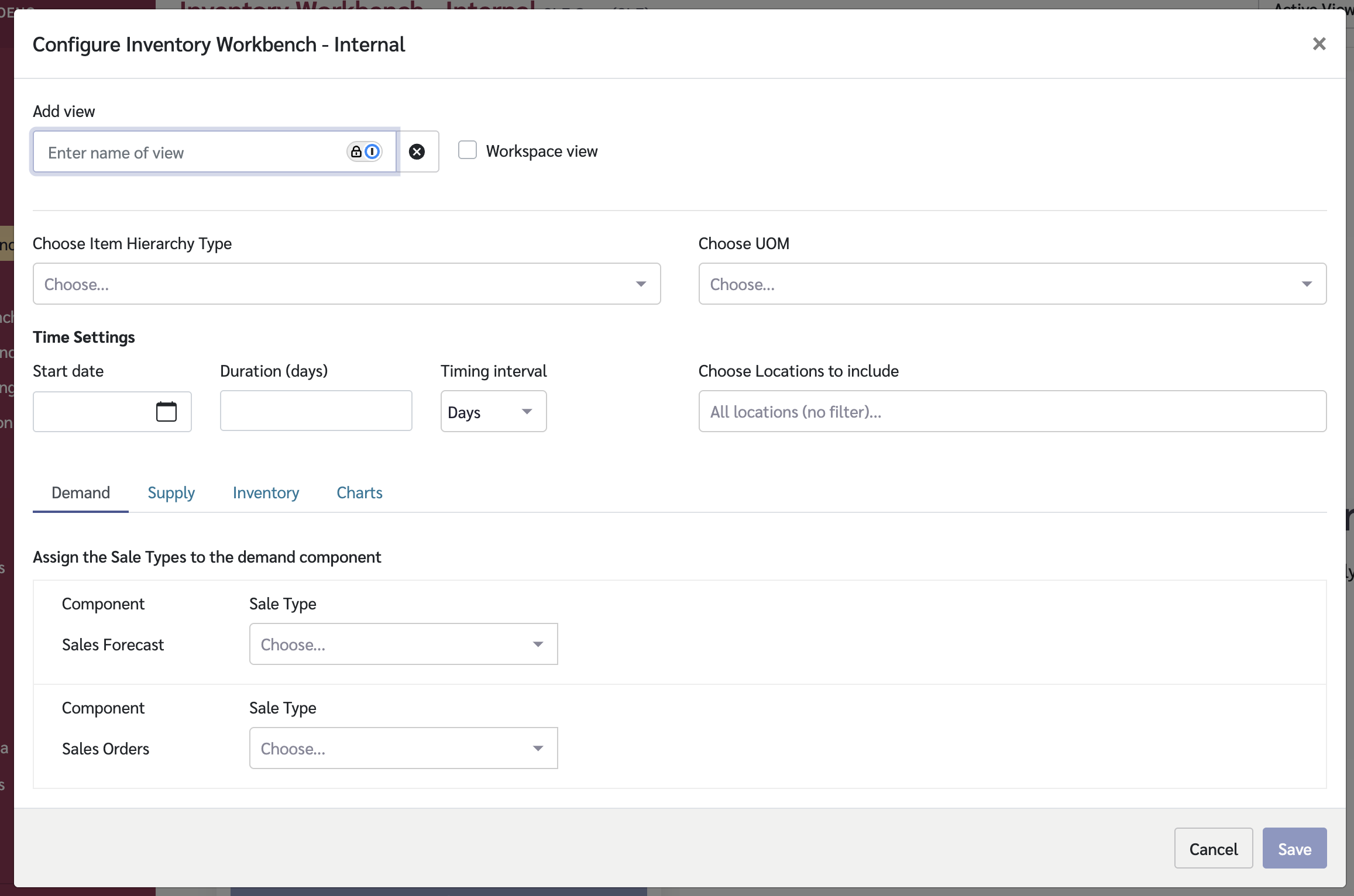
  3. To create a new view, click Configure then Add:

    • Give the view a name

    • Select the Demand tab to configure which sale types represent demand data

    • Select the Supply tab to configure which supply types to include

    • Select the Inventory tab to configure inventory data sources

    • Optionally, configure the Charts tab for visual analysis

The Inventory Workbench - Internal view configuration screen
For more details on how to create a view in Inventory Workbench - Internal, see Creating a View in Inventory Workbench - Internal for what's required.

Step 3: Use the Sidebar to Filter Data

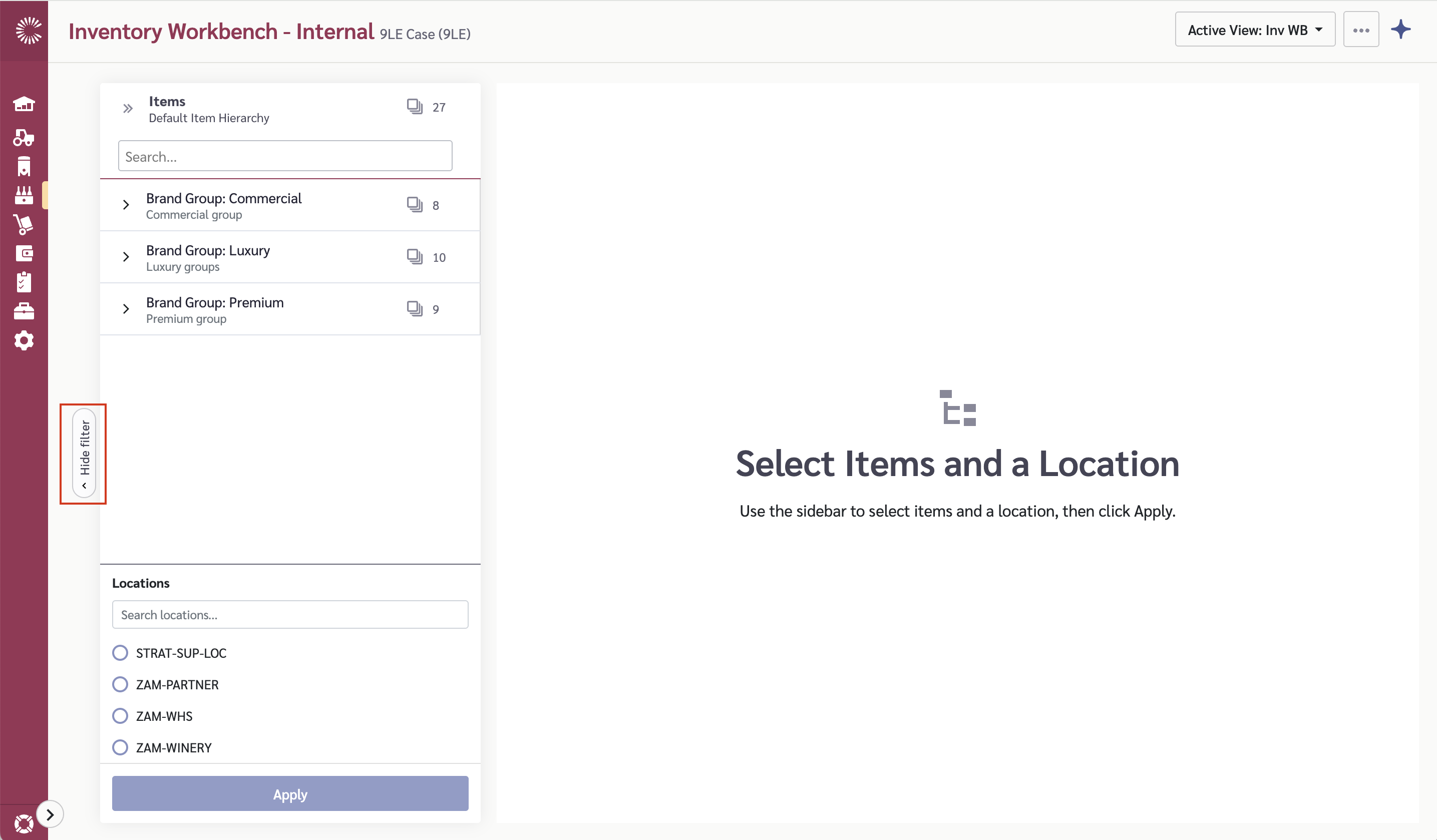
  1. Toggle the sidebar open using the sidebar button

  2. Select a location from the location list

  3. Select one or more items from the item picker (or use Select All)

  4. Click Apply to load data for your selection

The grid will populate with inventory data for the selected items at the chosen location.

The sidebar with the location and item picker
Step 4: Read the Grid

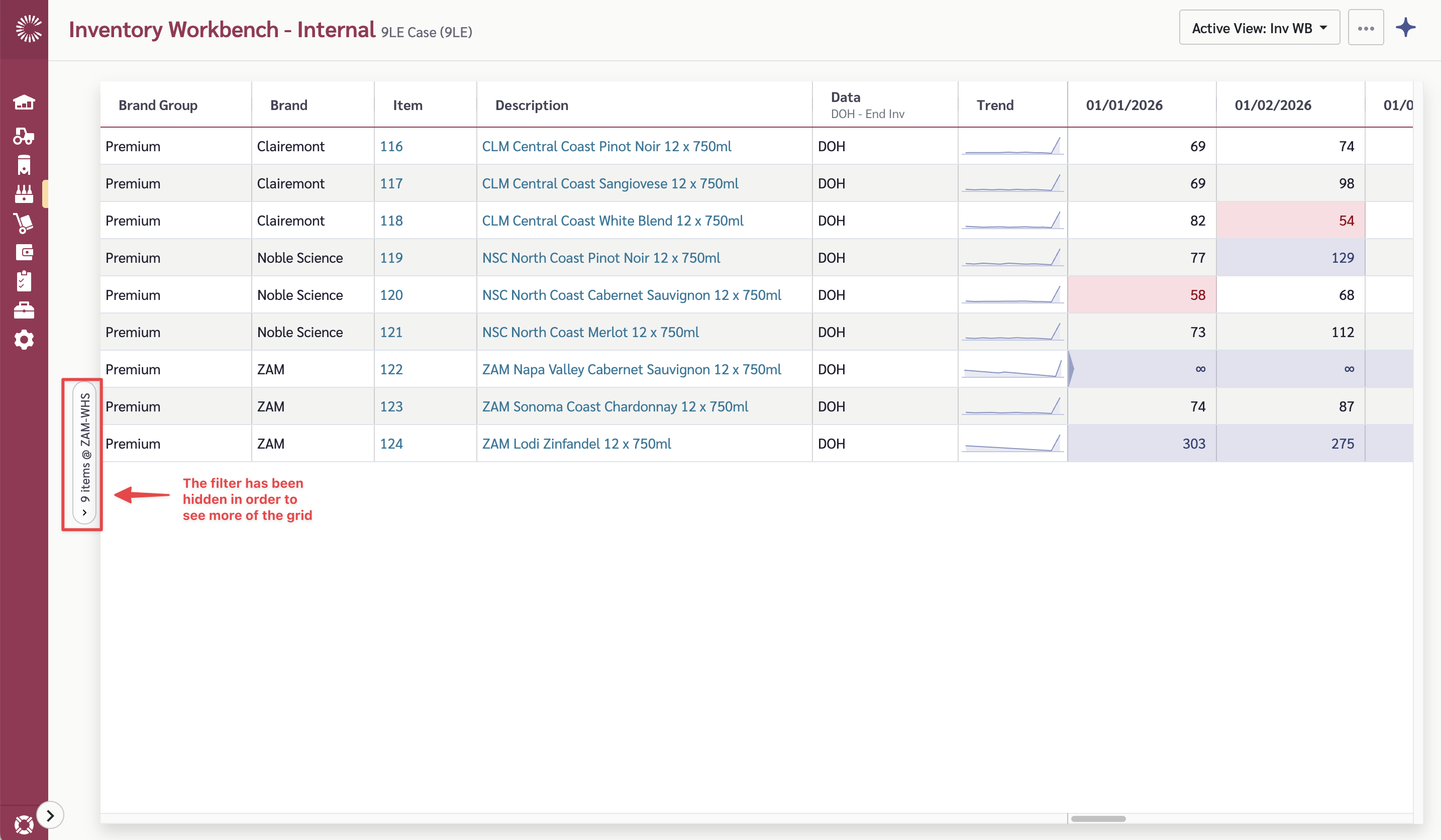
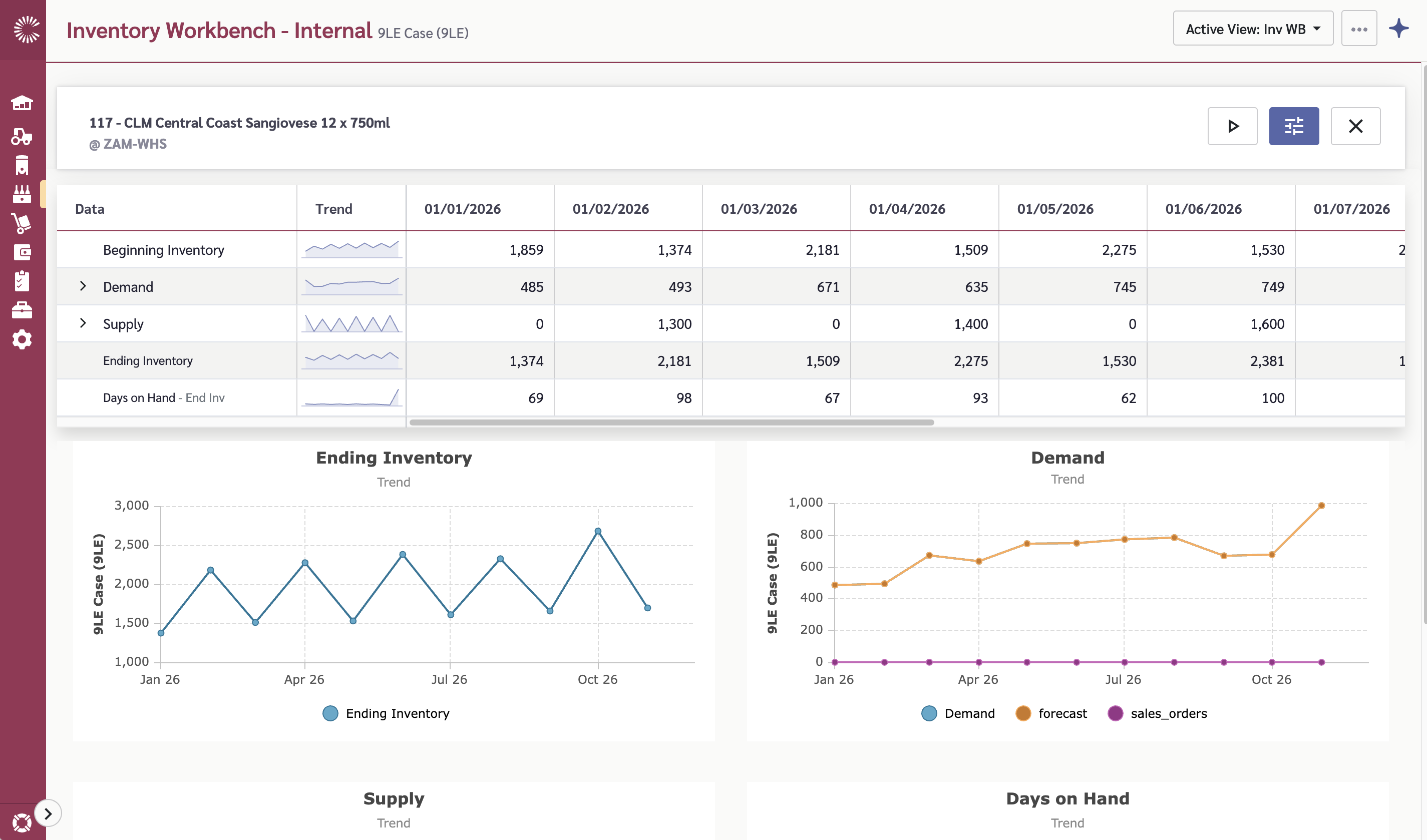
The main grid shows a summary row for each item:

Column
What It Shows

Item

The product name

DOH

Days of Hand — how many days of inventory remain based on current demand rates

Demand

Total demand for the selected time period

Supply

Total planned supply for the selected time period

Inventory

Current inventory level at the location

Items are color-coded based on their DOH status to help you quickly spot items that need attention.

The main grid showing summary rows with DOH, Demand, Supply, and Inventory
Step 5: Work with the Detail View

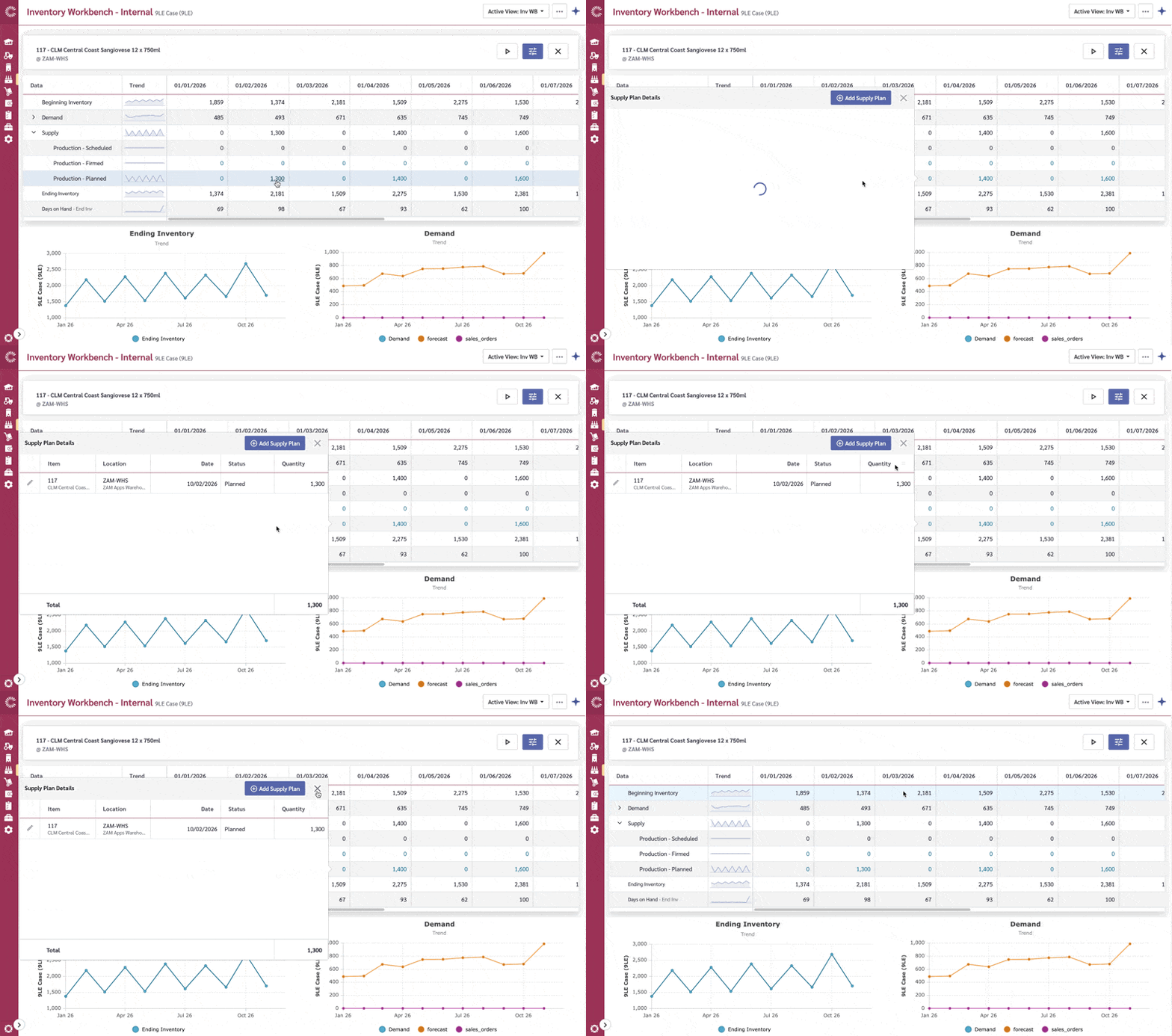
Click on an item row to open the detail view, which breaks data down by time period:

Row
What It Shows

Demand

Sales forecast and historical demand by period

Supply

Planned supply by period

Production

Production quantities by period (included in the Supply heading)

Inventory

Opening and closing inventory by period

DOH

Calculated days of hand for each period

This time-period view helps you identify when inventory levels will drop below acceptable thresholds.

The detail view for an item, showing demand, supply, production, inventory, and DOH by period
Step 6: Edit Supply Plan Values

To adjust supply plans:

  1. Open the detail view for an item

  2. Click on a cell in an editable supply row. (Identified via blue text)

  3. A 'Supply Plans' modal appears showing existing supply plans. Edit or add supply plans here.

  4. The DOH and inventory calculations update automatically

Editing a supply plan value using the edit popover
Step 7: Run Supply Plan Generation (Optional)

Claret can automatically generate supply plans based on your planning parameters:

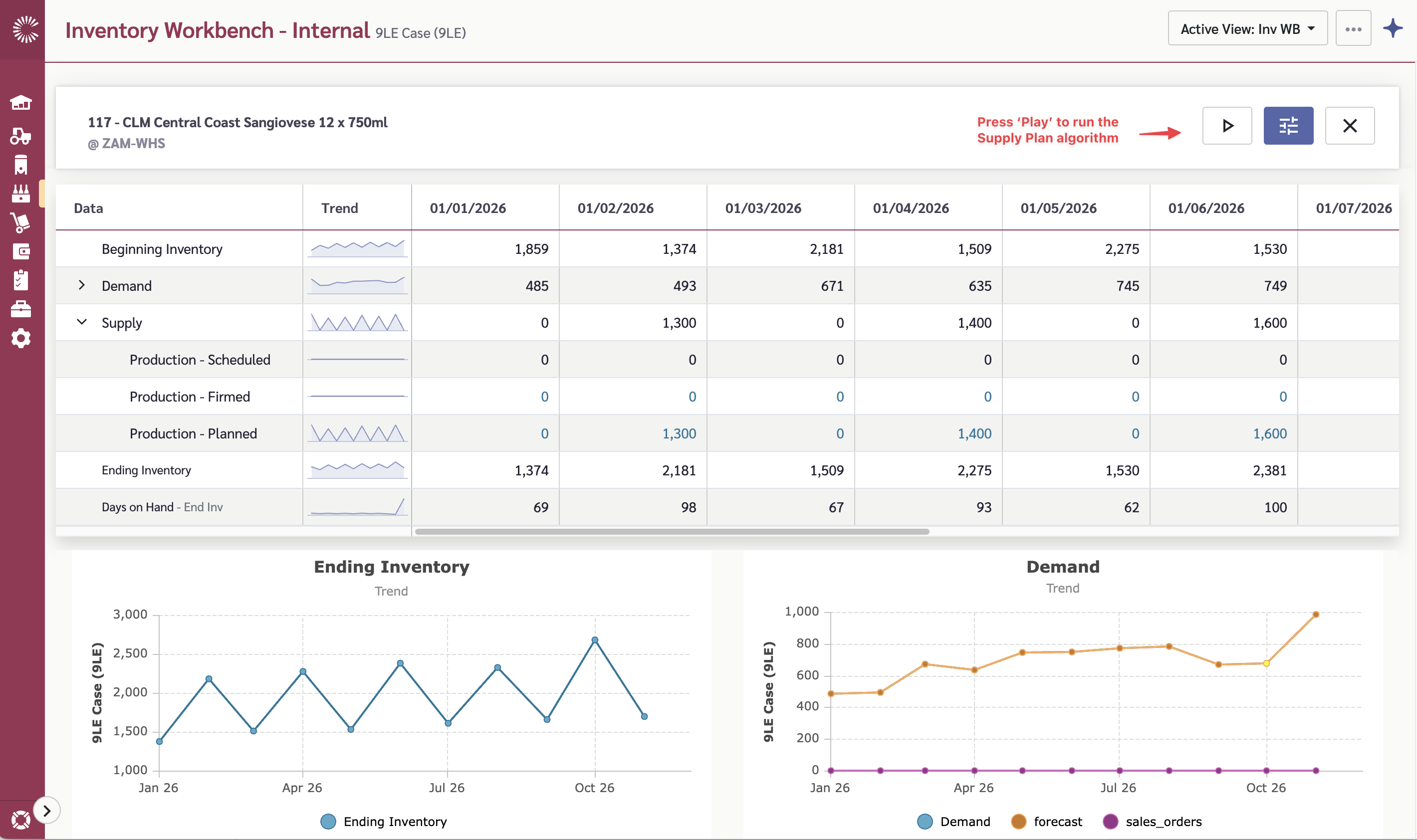
  1. To generate for a single item — use the action menu on the item row in the detail view

  2. To generate for all items — use the toolbar action to run supply plan generation across all items in the current view (on the main view)

Running supply plan generation for a single item from the action menu

Supply plan generation uses the planning parameters configured for each item (cycle stock, safety stock, forecast adjustments, etc.). See the Inventory Workbench - Internal documentation for details on configuring planning parameters.

Understanding the Data

Days on Hand (DOH) is the key metric. It tells you how many days the current inventory will last based on demand. The module color-codes items based on DOH thresholds to highlight items needing attention.

Supply plan generation calculates recommended supply quantities based on:

  • Current and projected inventory levels

  • Demand forecasts

  • Planning parameters (cycle stock targets, safety stock, plan lock periods)

Common Questions

What's the difference between Internal and Partner?

Inventory Workbench - Internal tracks inventory at your own locations using supply plans and production data. Inventory Workbench - Partner tracks inventory at distributor locations using depletion and shipment data. See Inventory Workbench - Partner for the partner module.

How do I configure planning parameters?

Planning parameters (cycle stock, safety stock, forecast adjustment, plan start and lock) are configured per item. See the Inventory Workbench - Internal documentation for the full list of parameters and how to configure them.

What does supply plan generation actually do?

It calculates how much supply is needed in each period to maintain your target inventory levels (based on cycle stock and safety stock settings) while meeting forecast demand. The generated values appear in the supply plan rows and can be adjusted manually.

Last updated

Was this helpful?